A CMDB doesn't collapse dramatically. It degrades slowly, silently, and often without anyone noticing until someone needs to rely on it in a critical situation and realizes that the information is incorrect.
It's not a technical problem. It's a maintenance problem. And it usually starts with one of these five signs.
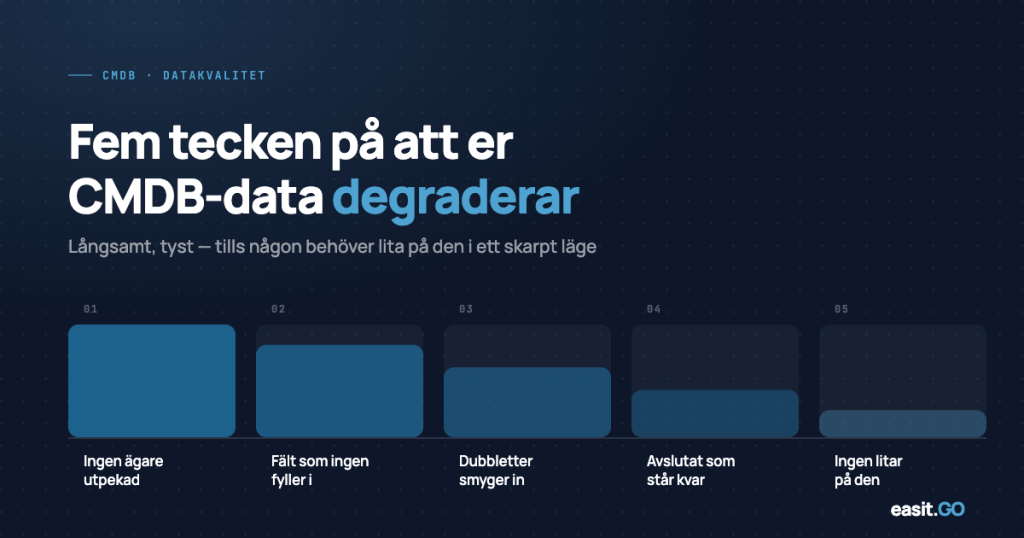
Character 1
CIs without owners
Open a random selection of your configuration objects and look at the owner field. How many are empty, point to a person who has left, or show a department that no longer exists?
An ownerless CI is a CI that no one is responsible for keeping up to date. It may have been registered by IT during implementation, but when the server was upgraded, the software was replaced, or the equipment was decommissioned, the database was not updated because it was no specific person's responsibility to do so.
What you do about it: Link ownership to processes, not individuals. There should be a defined responsibility for each CI type. Consider building an automatic notification when a CI owner leaves or changes role.
Character 2
Fields that are consistently left blank
If a field is empty in 60% of all records, it is either a sign that the field does not add value or that it is too complicated to fill out.
Both are problems. The first means you are collecting data you never use, which creates noise. The second means you are missing data you actually need, but the system is designed in a way that discourages accurate recording.
What you do about it: Do a field audit. For each field: is it actually used in reports, automations, or searches? If not, remove it or hide it. If the field is important but empty, investigate why. Is it a training issue, an interface issue, or is there a missing integration that could auto-populate it?
Character 3
Relationships that don't match reality
A CMDB without relationships is an advanced hardware list. But relationships are also what degrades the fastest.
The application that “runs on” a server that was decommissioned a year ago. The license that is still linked to a user that left. The service that depends on a database that was migrated to the cloud but where the old relationship was never removed.
Incorrect relationships are worse than no relationships, because they give a false picture of dependencies. This can lead to incorrect decisions during incidents, planned changes and risk assessments.
What you do about it: Regularly perform a relationship audit for your most critical CI types. Link relationship updates to your change processes: every time a change is implemented, the affected relationships should be reviewed.
Character 4
No automatic synchronization with real sources
If your CMDB is primarily updated manually, it's only a matter of time before it falls behind reality.
Servers are added and retired. Licenses expire and are renewed. Users are onboarded and offboarded. If these processes are not connected to the CMDB – via Active Directory, Entra, monitoring tools or other authoritative source systems, your database is always a snapshot of how it looked before.
What you do about it: Identify your five most volatile CI types. Is there a source system that holds the “truth” for these? If yes: integrate. If no: define who is responsible for updating them and how often. Manual updating can work for CI types with low volatility but requires clear ownership and routine.
Character 5
Nobody knows what is “true” anymore
The subtlest and most serious sign: The IT team stops using the CMDB as a reference and starts relying on informal lists, email threads, and “Kalle knows.”.
It doesn't happen all at once. It happens gradually, as trust in the database is eroded by too many instances of information being incorrect. Ultimately, the CMDB is a system that is up and running but that no one trusts, which is almost exactly as useful as no CMDB at all.
What you do about it: Measure trust, not just coverage. Ask the IT team: “Would you trust the CMDB if you had to make a decision about this server right now?” If the answer is no, don’t start filling in more fields. Start by understanding why trust was lost and addressing the root cause.
What is a reasonable maintenance interval?
There is no universal answer, but a simple rule of thumb:
- Frequently changing CI types (users, client computers, software licenses): Automatic sync or manual review every quarter
- Moderately changed CI types (servers, applications, network equipment): Semi-annual review linked to the change process
- Rarely changing CI types (infrastructure categories, service catalog): Annual review
The most important thing is not the frequency itself, but that the maintenance is built into a process, not dependent on someone remembering it.
How Easit GO helps you keep your CMDB alive
One of the most common reasons CMDB data degrades is that there is too much friction in updating it. The system feels cumbersome, no one has rights or a sense of ownership, and updates are postponed until “there is time.”.
Easit GO is designed to reduce that friction:
- Automatic populating via GO Connect against Active Directory, Entra and monitoring tools allows CIs to be created and updated without manual input
- Role-based views mean that each person sees and can update the CIs that are actually their responsibility.
- Linked processes mean that an incident case automatically shows affected CIs and that a change triggers a reminder to update the relationships
- Configurable attributes make it easy to adjust which fields are available for each CI type, without consulting support, so you can remove what is not used and add what you actually need.
A CMDB doesn't stay alive on its own. But with the right system support and the right process, maintenance can become part of the daily work and not a quarterly cleaning effort.
Would you like to see what CMDB maintenance can look like in Easit GO for your organization? Book a demo
Read more
CMDB in practice: what does your organization actually need to know?
A practical guide to defining and getting started with a CMDB in phase 1 – including how to choose CI types and define relationships.
Easit GO – features and capabilities
A review of the entire platform – case management, CMDB, self-service and automation.
How quickly can your organization be self-sufficient in Easit GO?
Guide to the roles and timelines that take you from implementation to internal control.
E-guides
In-depth guides on ITSM, configuration management and digitalization of IT management.

Henrik Traveler
Commercial Product Manager
henrik.resare@easit.com
+46 70 249 36 06