You already know why a CMDB is needed. You've probably read about the concept, maybe seen a demo, and decided it's the right way to go.
Now comes the next question – the one that most guides skip: where do you actually start?
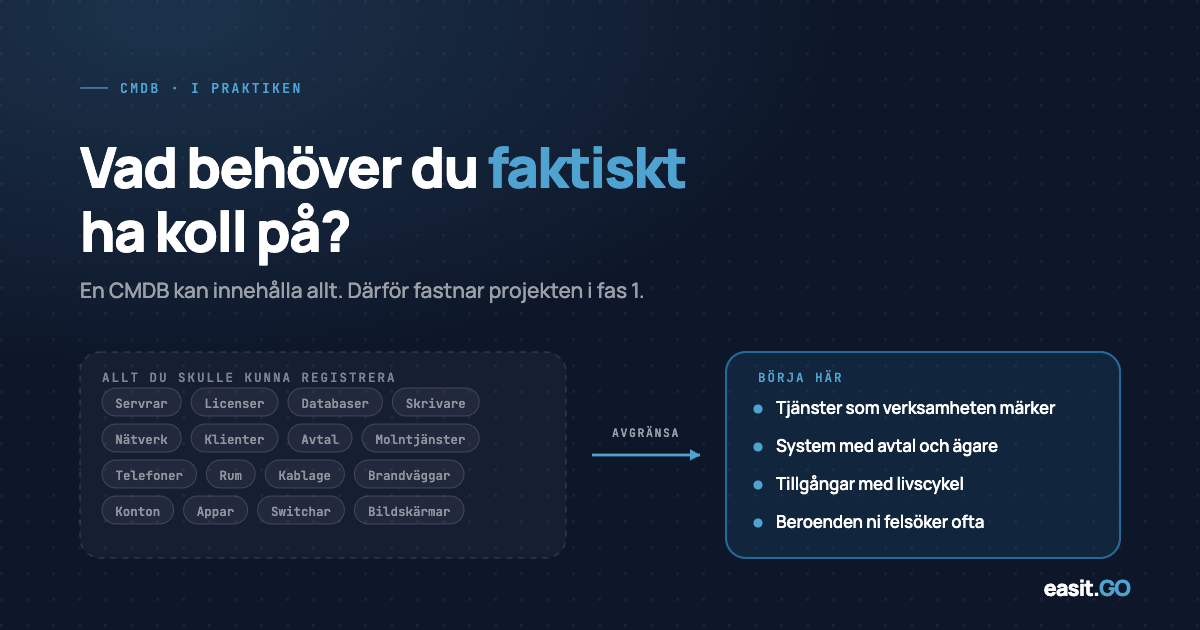
A configuration database can theoretically contain everything. In practice, this is the characteristic that causes CMDB projects to get stuck in Phase 1 and never deliver value. This article is about how to avoid that.
Start small
A common mistake is trying to capture everything at once. Servers, laptops, mobile phones, software licenses, network equipment, services, contracts – it’s easy to model a perfect vision of the future and then realize you’re only half-done in ten categories.
A CMDB that contains 70% of your laptops and 60% of your servers is not half a CMDB. It is an unreliable CMDB. And an unreliable CMDB is worse than none at all, because it creates a false sense of security in decision-making.
The strategy that works: select three to four CI types and make them complete. Typical starting points:
- Servers (physical and virtual) – often already partially documented, high utility for incident and change
- Client computers – direct connection to onboarding/offboarding flows and authorization management
- Business-critical applications – creating the foundation for service mapping
- Network equipment – if you have ongoing monitoring needs
Start where it hurts the most. Not where the model is cleanest.
The relationship model – what most people underestimate
If the CI list is the skeleton of a CMDB, the relationship model is the heart. It is in the relationships – what depends on what – that real insights emerge.
The question “what systems are affected if this server goes down?” can only be answered if you have modeled the relationship between the server and the applications running on it. Without relationships, your CMDB is a sophisticated hardware list.
Three relationship types to prioritize early on:
Run on / Hosted by
Applications on servers, virtual machines on physical hosts. Provides immediate benefit during incidents and planned maintenance.
Owned by / Assigned to
Associates equipment with person and department. The foundation for offboarding automation.
Dependency on
Service X is dependent on database Y, which runs on server Z. This is the most powerful but also the most time-consuming type of relationship. Build it iteratively.
For each CI type you add, define at least one relationship to something you already have in the database. Isolated CIs without connections add little.
Common pitfalls in phase 1
Manual data entry as primary method
If your plan is to have IT staff manually enter all equipment, you are in for a project that will never be finished. Connect to existing sources as early as possible: Active Directory, Entra, monitoring tools, etc. It doesn't have to be perfect, it should be the starting point that is then validated.
Too much classification from the start
Thirty CI types, twenty status values, and fifteen priority levels sound detailed. In practice, this leads to no one filling in the fields correctly and data quickly degrading. Start with a few fields and add more when you actually need them.
CMDB without an owner
A configuration database requires ongoing maintenance. Equipment is replaced, applications are discontinued, people leave. Without a designated role/person, or process, responsible for keeping the database up to date, data quality will decline within months. Determine ownership before you start filling in data.
Waiting for a perfect plan
A CMDB with 80% coverage and high data quality is exponentially more valuable than a perfect spec that is never implemented. Set a date for a small but complete Phase 1, deliver it, and build on it.
Who owns the CMDB and what does that mean in practice?
Data ownership in a CMDB is an organizational decision, not a technical one. The questions to answer:
- Who is responsible for ensuring that a CI is registered when new equipment is purchased?
- Who updates the status when a server is decommissioned?
- Who reviews data quality – and how often?
- What happens when a CI is owned by a department that does not have IT expertise?
In smaller organizations, the answer is often “IT is responsible for everything.” This works in phase 1, but scales poorly. A more sustainable model: IT owns the structure and CI types, but individual departments are responsible for keeping their objects up to date with IT as the reviewer.
How to make Easit GO CMDB a project your organization can own
One of the most common reasons CMDB projects get stuck is that the system requires consulting support for every change. Want to add a new CI type? Call the vendor. Want to change a field? New configuration order.
Easit GO is built to enable your organization to own and develop the CMDB structure internally. This means that IT coordinators and system administrators can:
- Define and customize CI types and attributes
- Building relationship models and visualizing dependencies
- Connect CMDB to case management so that an incident case automatically shows affected CIs
- Integrate with AD, Entra and monitoring tools for automatic population
It reduces project cost in phase 1 and, more importantly, it ensures that the CMDB actually survives and improves after implementation.
Want to see what a CMDB implementation could look like for your organization? Book a demo
Read more
What is CMDB - how to get started and why it's important
An introduction to the CMDB concept for those who want to understand the basics before implementation.
Easit GO – features and capabilities
A review of the entire platform – case management, CMDB, self-service and automation.
Customer case: Sydnärke – from decision to deployment in just over two months
How Sydnärke's IT management implemented Easit GO and what it gave them in practice.
E-guides
In-depth guides on ITSM, configuration management and digitalization of IT management.

Henrik Traveler
Commercial Product Manager
henrik.resare@easit.com
+46 70 249 36 06