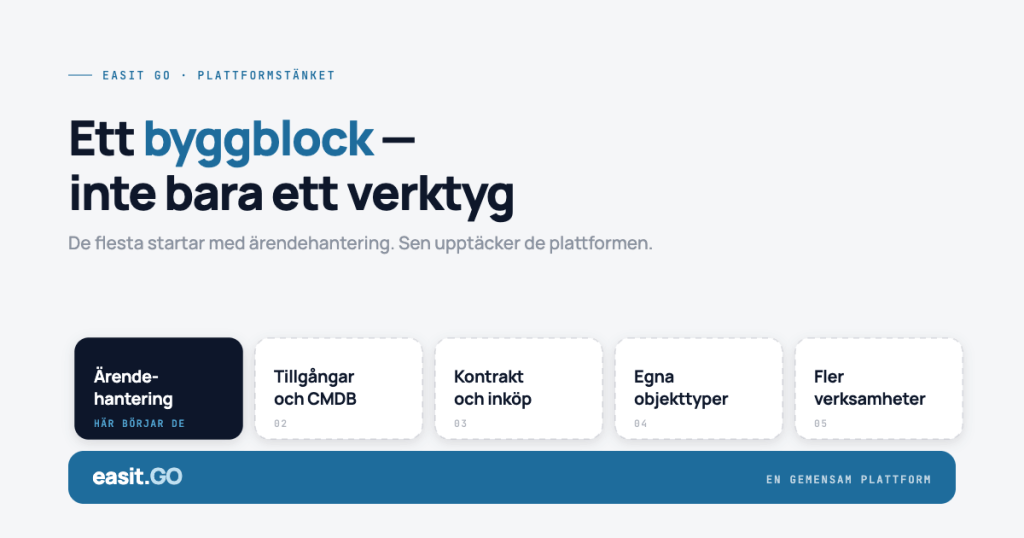
Most people who start using Easit GO start with IT case management. That's natural, that's where the urgent need usually lies. But those who stay and really learn the platform soon see something different, that they actually have a building block with everything they need to manage service throughout the organization.
That's what we call platform thinking. And that's what this post is about.
What is a service management platform?
Service management is about organizing and delivering service in a structured way, whether it's IT, HR, real estate or purchasing. A service management platform is the common framework that enables the entire organization to work from the same logic.
The difference from a pure case management system is not just technical, it is strategic. With a delimited case management system, you manage what comes in. With a service management platform, you can shape how service is delivered, by whom and according to what rules, and then continuously improve it.
Easit GO is built as such a platform. This means you are not starting from scratch, but you are not locked in either.
Ready processes – a smart start mode
One of the great advantages of Easit GO is that you don't have to start from a blank slate. The platform comes with a wide range of ready-made ESM processes that you can activate and start using right away:
- Incident management – structured reception, prioritization and escalation of IT incidents
- Change management – change flow with approval steps and audit trail
- Self-service portal – end users log cases and order services without contacting support
- Configuration Management (CMDB) – structured view of your system components and their relationships
- HR introduction – onboarding flow that connects IT, HR and manager
- Order management – standardized ordering flows for equipment, licenses or system resources
The finished product is a starting point, not a limitation. You can take one of these flows and use it out of the box, or customize it to your organization’s terms, rules, and approval structure. Forms, workflows, automations, and rules can all be adjusted without writing a line of code.
Build new when needed
Sometimes what you need doesn't exist as a ready-made process. Then you build your own.
In Easit GO you create new forms, define which fields should be included, build the workflow step by step and set up the automations and rules that will control the process. It can be a local need that is unique to your organization, a specific purchasing process, a permit management for a property, or your own way of managing IT projects.
The process is the same whether you are customizing something ready-made or building from scratch, you work in a graphical interface and see the results immediately.
Who configures it?
You. (if you want)
It's not a sales pitch, it's a technical reality. Easit GO is built to be configured by internal system designers and administrators, without requiring programming skills.
A manager with a good understanding of the organization's processes can:
- Activate and customize a ready-made ESM process
- Create new case types and forms
- Build workflows with automatic assignments, escalations, and notifications
- Set up automation rules that are triggered by events in the system
- Adjust portal views for different user groups
This doesn't mean you'll never need support. But it does mean you're not dependent on support always being available. Your knowledge of the system stays with you.
What does it look like in practice?
Imagine that your organization wants to structure HR induction. Today, an email is sent around when someone new starts, and then no one really has a handle on what has been done.
In Easit GO, you start with the ready-made onboarding process, adapt it to your roles and responsibilities, and add the specific tasks that apply to your organization.
Example: Introduction of a new employee in Easit GO
- Start with the ready-made onboarding process in GO
- Adapt roles, responsibilities and tasks to your organization's structure
- Add automation rules and approval steps
- Manager or HR fills out the start form via the self-service portal
- Status is updated in real time and nothing falls through the cracks
It didn't take months. And you didn't have to hire a consultant to do it.
What is the difference from just having case management?
There are many good systems for receiving, assigning, and closing cases. They are quick to get started with and require little configuration. But they manage a function, not an organization.
Platform thinking means you choose a different starting point. You start with a framework that already has the processes you need, and gives you the freedom to shape them based on your reality. Every new process you want to manage is a build or an adaptation, not a request to a vendor.
For organizations that see service management as a strategic function, not just a way to handle error reports, that distinction is crucial.
Want to see what you can build?
We are happy to show you what the platform approach looks like in practice for an organization like yours, which ready-made processes suit you directly, and what you can easily adapt.
READ MORE
What is a CMDB and why do you need one?
A review of what configuration management means in practice and how a CMDB fits into a larger service management platform.
Five signs that your CMDB data is starting to degrade
A CMDB doesn't collapse dramatically, it degrades silently. Here are the five most common warning signs and what you can do about them.
How quickly can your organization be self-sufficient in Easit GO?
What is actually required for your internal configurator to be able to run the platform on their own and how long does it take?
Designer Days
Our recurring event for those who configure and manage Easit GO. Practical training in the system, without consultants.

Henrik Traveler
Commercial Product Manager
henrik.resare@easit.com
+46 70 249 36 06