
You probably know how many cases your service desk handles per month. Maybe even what percentage are resolved within SLA. But do you know what a case actually costs your organization – in time, in money, in the capacity that is never used for anything else?
That question is more difficult. And more important.
We measure what is easy to measure
Case volume. SLA fulfillment. Open cases. Average resolution time.
It's the numbers that are in the dashboard and that are reported upwards. They are important. But they don't tell everything.
What they don’t tell you is how much of an IT technician’s actual workday is spent on things that don’t require technical expertise. Reading a ticket and deciding what category it belongs in. Responding to “how’s my ticket?” for the ninth time that week. Sending an escalation email manually because no one set up an automated rule.
It's not a measurement error. It's a measurement gap. And it makes it difficult to have an informed conversation about where the potential for improvement actually lies.
The problem with not knowing
If you don't know what a case costs your organization, it's difficult to justify an investment in reducing that cost.
This is one of the most common reasons why ITSM projects stop in the investigation phase. Not because the benefit is unclear in theory, but because the number needed to make the benefit concrete is not available.
And it's a self-reinforcing situation, without good data it's hard to justify the investment in a system that can give you better data.
Your data is better than industry figures
There are plenty of reports that state what an IT case “costs on average.” The problem with those numbers is that they are aggregated across industries, countries, and business sizes that may not be even remotely similar to your organization.
An office with 50 employees and a single IT manager has a completely different case cost picture than an authority with 3,000 employees and several specialist teams.
The interesting thing is that you have access to better data than any industry overview can give you. It's in your own case system.
What is the actual average processing time per case type? What proportion of cases are redirected at least once? How many of the incoming cases concern questions that are already answered in documentation?
Those answers are yours. Not the industry's.
It's not just about money
Case cost is one way to frame the question. But the real argument is about something else. What isn't your IT department doing because they're busy handling cases manually?
It is the opportunity cost and it is not visible in any case system.
IT departments that have come the furthest are characterized by having time to work proactively. Time to identify patterns before they become problems. Time to drive digitalization projects. Time to be a strategic resource rather than a reactive support function.
That time is not created by hiring more people. It is created by stopping spending human capacity on things that a well-configured system can handle.
What Easit GO can show you about your business
Easit GO is not just a system for handling cases – it is a system for understanding your cases and your business.
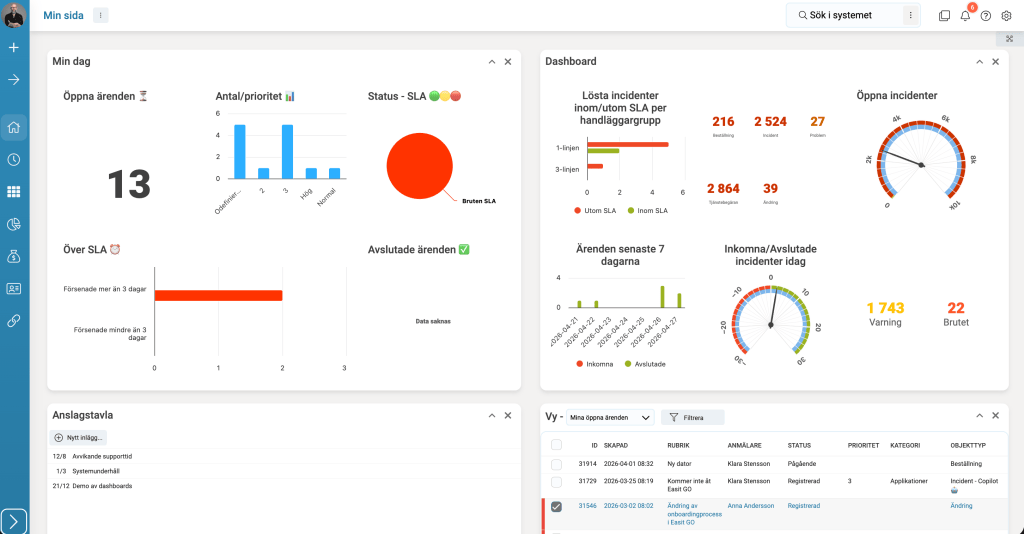
The reporting features, dashboard and integration with your BI platform give you access to the numbers that are actually relevant to your situation: average handling time per case type, redirection and escalation rates, SLA deviations per team and per time period. Not as an industry average, but as your actual picture.
And once you see your picture, you can start configuring the manual steps: automatic classification for the highest volume case categories, escalation rules for the SLA levels with the most deviations, statuses for the case types that generate the most follow-up questions.
It's not a big project. It's configuration work that the IT department can run itself and whose effect is immediately visible in the same reports.
Frequently asked questions
How do you calculate the cost per IT case?
Extract your actual average handling time per case type from your ITSM system. Multiply by your organization's actual hourly cost. This gives you a number based on your data – not industry averages that may not be relevant to your business.
What is opportunity cost in IT case management?
What your IT department doesn't have time to do because they handle cases manually. It's not visible in the case system – it's a strategic reasoning about what you want IT to contribute, and what's preventing it today.
Which parts of case management take the most time?
Often not the troubleshooting itself. The most time-consuming steps are classifying miscategorized cases, user status queries, and administrative closures. All can be automated in a properly configured ITSM system.
The question is not whether your case management can become more efficient. It can. The question is whether you have enough data to see where – and a system that allows you to act on it.
Want to see what Easit GO can show about your business? Book a review
Read also
Automation in Easit GO – 5 processes that save hundreds of hours

Henrik Traveler
Commercial Product Manager
henrik.resare@easit.com
+46 70 249 36 06