
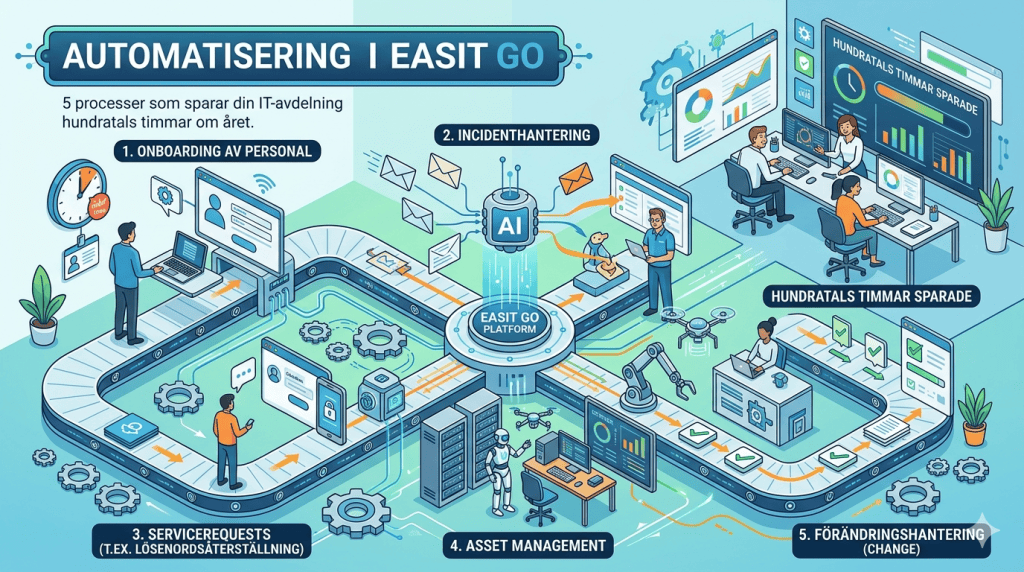
An IT department without automation spends a significant amount of its time on things that the system should be able to handle on its own. Case classification, escalation, approval flows, reminders – every minute spent on these manual tasks is a minute not spent on actual problem solving. Easit GO is built to eliminate that problem.
The manual work that no one talks about
Ask an IT manager how much time the department spends on direct problem solving versus administrative manual labor. The answer is rarely flattering.
Cases land in the queue. Someone looks at it, assigns a category, sets a priority, assigns it to the right technician. Customer doesn't hear back for 24 hours, someone sends a manual follow-up email. SLA deadline passes, manager gets a manual notification. Approval needed, email sent and waited.
None of this requires human intelligence. It requires consistent rules. And consistent rules are exactly what a well-configured case management system delivers.
The problem is that many IT departments never fully configure that automation. The system sits there with the capacity, but manual routines remain because “it has always worked that way.”
Automatic case classification
Every case that comes in needs a category, a priority, and often a team. In a manual process, it takes time, and it’s done inconsistently – depending on who’s handling it that day.
In Easit GO you configure rules based on case type, incoming channel, service, system, hardware or the sender's department. For example, a password reset case can be automatically classified as Category: Access / Priority: Normal / Team: Service desk. A server outage case is classified as Category: Infrastructure / Priority: High / Team: Operations.
The result is that no case begins its journey without the right metadata, regardless of how it came in and who was on call. Metadata is key!
Escalation rules that maintain SLAs without manual monitoring
The SLAs are in place. Deadlines are set. But who monitors them?
In Easit GO, escalation rules are configured that trigger automatically based on time and status. If a high-priority case has not been assigned a technician within 30 minutes, the team leader is automatically notified. If a case has been in the Pending status without an update for 4 hours, it is escalated to the next level and the customer receives an automatic status update.
No one needs to manually monitor the dashboard for this to happen. The system does it systematically, at exactly the right time, every time. Rules are the key!
Automated approval flows
Orders, authorization changes, and purchases often require approval from a manager or system owner. In a manual process, this means an email, a wait, a reminder email, and then manually updating the case when the response comes in.
In Easit GO, you build the approval flow directly into the process. The customer creates the case, the system automatically identifies who should approve based on rules, the approver's to-do list is updated, the approval is registered in the case and the next step is triggered.
The entire chain is traceable, documented and takes place without the case being lost in an email inbox.
Proactive customer notifications
One of the most common complaints about IT support isn't that problems take time to resolve – it's that the caller doesn't know what's going on. Forgotten status updates create more work than they save.
Easit GO sends automatic status notifications at configured times and events: when the case is taken care of, when it is escalated, when it is waiting for feedback from the reporter and when it is closed, etc., you decide when.
The customer always sees where the case is without a technician having to spend time writing individual updates.
Automatic case closure and feedback flow
Cases that are resolved but never closed are a hidden problem in most case management systems. The technician finishes the work – the customer hears nothing more – the case lives on as “Ongoing” for weeks.
In Easit GO, an automatic follow-up routine is configured: when a case is set to Resolved, an automatic notification is sent to the customer with confirmation and the option to reopen. If the customer does not return within X days, the case is automatically closed and a satisfaction survey can be triggered.
The result is a cleaner case queue, accurate statistics and a more professional impression, without extra working time.
Frequently asked questions about automation in Easit GO
What can you automate in Easit GO? Case classification, escalation rules, approval flows, customer notifications and SLA follow-up, etc. Rules are configured visually without writing code.
Do you need a technical resource to set up automation in Easit GO? No. Easit GO's automation rules are configurable via a rules interface that IT administrators and process owners can manage without programming skills.
Can Easit GO automate cases from multiple departments? Yes. Easit GO supports multiple processes and departments in the same instance. Automation rules are configured per case type, department or team.
How long does it take to set up automation rules? It varies depending on complexity, but basic classification and escalation rules can typically be configured in an hour or so and can then be copied and reused. Easit also offers implementation support if desired.
Manual administrative work is not a fate – it's a matter of configuration. Easit GO gives you the tools to systematize what doesn't require human judgment, so your IT department can focus on what actually does.
Want to see how automation works in a real-world scenario? Book a demo

Henrik Traveler
Commercial Product Manager
henrik.resare@easit.com
+46 70 249 36 06